


Messages - SMS, Chat Messaging is the kind of communication app I would try when the default texting experience feels too plain but I still want the reliability of ordinary SMS. Developed by Phase Zero Apps, it combines everyday messaging with visual extras such as stylish fonts, themes, and an aftercall feature. I found its appeal less about replacing every communication tool and more about making routine conversations feel more personal without moving them into a completely different social network.
The app is free to install and is rated for Everyone, which makes it approachable for families and casual users. It has built a sizeable audience, with more than a million installs, a 4.6 average from around 19 thousand ratings, and roughly 2 thousand written reviews. Those figures suggest that the central idea works for many people, although popularity does not remove the practical questions: how well does it fit into an existing texting routine, what do the visual options actually add, and when is a standard messenger still the better choice?
How Messages feels in everyday use
My first impression is that this is an SMS-focused app with a decorative layer placed on top. That distinction matters. If you mainly need a dependable place to read, send, and organize text messages, the familiar structure is easy to understand. If you are looking for a full internet messenger with a large community, advanced group collaboration, or a broad media ecosystem, this is not trying to be that.
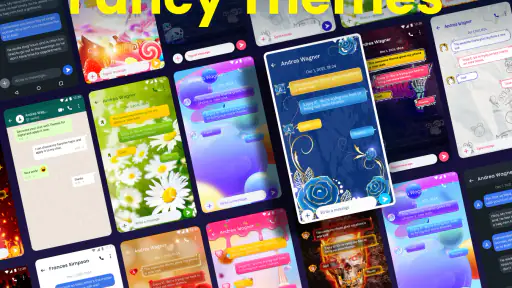
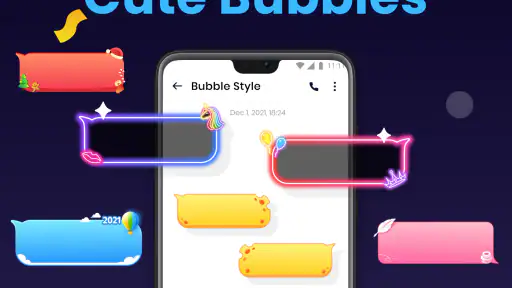
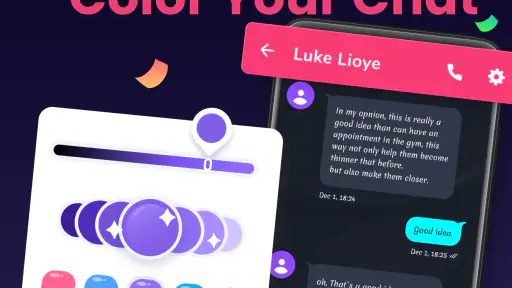
The strongest reason to use it is control over presentation. A normal texting app often treats every conversation almost identically, while Messages gives you a way to make the experience look more like your own. Themes and font styles can make a difference for people who spend a lot of time texting, particularly when the default interface feels sterile or difficult to distinguish from every other utility on the phone.
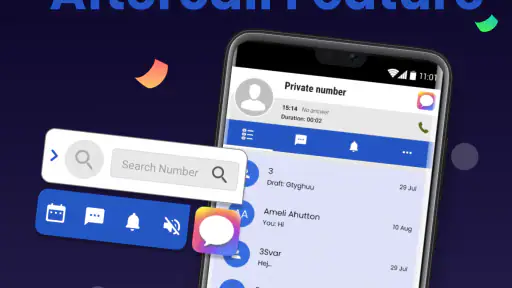
I also like the idea of the aftercall feature because it addresses a small but real moment in daily communication. After finishing a call, people often remember that they need to send a quick follow-up, clarify something, or continue a conversation that began verbally. Having that action connected to the calling moment can be more useful than opening a separate app and searching through a contact list from scratch.
A realistic day with the app
Imagine arranging a pickup with a family member. You call to confirm the location, then realize you need to send the exact entrance details. Instead of treating the call and the message as unrelated tasks, an aftercall prompt or shortcut can help move naturally from one to the other. That is not a dramatic feature, but it fits the way people actually communicate: a short call followed by a text containing information that is easier to read than remember.
For a different example, I can see the theme options being useful when several people share a phone or when someone wants a clearer visual distinction between personal and practical conversations. A calmer appearance may suit work-related texts, while a more expressive style can make a family thread feel less formal. The benefit is subjective, but it is also the point: the app gives visual preference more importance than the usual default messenger.
What the current version says about the product
The current version is 2.3.0, and the app supports devices running Android 10 or later. That places it within a reasonably modern Android environment, but it also means owners of older phones should check compatibility before planning a switch. I see the version number as evidence that the app has continued beyond its original release rather than remaining a one-off customization experiment.
Messages first appeared on February 10, 2022. Since then, its identity has stayed centered on SMS, visual personalization, and the aftercall experience. I would not read the version information as a promise of a particular future direction, but it does help frame the app correctly: this is an established communication utility with an ongoing version history, not a brand-new messaging service that still needs to prove its basic concept.
That evolution is important for existing users. A person who installed it early is likely choosing it for the same broad reason today, but a current release can make the overall experience feel more settled than an initial launch build. At the same time, a version update does not automatically mean that every limitation of SMS has disappeared. The underlying communication method still shapes what the app can do compared with internet-first alternatives.
Personalization that is useful rather than merely decorative
Fonts and themes are easy to dismiss as surface-level extras, but I think they can have practical value when used carefully. A readable font is more important than an unusual one, especially during long conversations. I would start with a style that improves comfort rather than choosing the most dramatic option. Decorative choices are fun, but they should not make message previews harder to scan or reduce the sense of clarity that a communication app needs.
The same principle applies to themes. A visually busy design may look appealing during a quick setup, yet become tiring when the app is opened repeatedly throughout the day. I would test a theme during ordinary tasks: replying to a short message, finding an older text, and checking a conversation quickly after a call. If the design helps me recognize the app and navigate comfortably, it earns its place. If it distracts from the words, the default or a simpler option is probably better.
One less obvious trade-off is consistency. Customization can make Messages feel more personal, but it may also make the app look unlike the rest of Android. That is not a problem for everyone. However, people who prefer a unified system interface may find the extra styling unnecessary. I would recommend the app more strongly to users who actively enjoy adjusting their phone’s appearance than to someone who wants every app to behave and look as plain as possible.
How it compares with the usual alternatives
Compared with a standard phone messaging app, Messages has a clearer personality. The usual default option often wins on familiarity and integration with the handset, while this app wins when fonts, themes, and the aftercall flow matter. If your main complaint is that ordinary texting looks dull, the difference is meaningful. If your complaint is that SMS itself feels limited, changing the interface will not solve that larger issue.
Compared with internet messaging services, the distinction is even sharper. Services built around data connections commonly offer richer group tools, media sharing, and communication between users who have accounts on the same platform. Messages is better suited to people who still rely on phone-number texting or who want a more styled front end for that routine. I would choose an internet messenger for an active group that expects extensive media and shared features, but I would choose this app for straightforward SMS conversations where visual customization is the priority.
There is also a practical switching question. If your contacts already use a particular internet service, moving your own interface may not change how they communicate with you. The app can improve the way you handle your side of the conversation, but it cannot turn every SMS exchange into a modern chat platform. That is why I see it as a companion to a person’s communication habits rather than a universal replacement for every messenger.
Where the experience can become frustrating
The biggest limitation is the boundary between appearance and capability. Stylish fonts and themes can make texting more enjoyable, but they do not automatically provide the richer experience people associate with dedicated chat platforms. Users expecting a complete social communication hub may feel that the app is too focused on presentation.
There is also a learning curve, even if it is a small one. Anyone moving from the phone’s default messaging app has to decide whether the extra controls are worth changing an established habit. Customization menus can be enjoyable for one person and unnecessary friction for another. I would not install this solely because it is free; I would install it because I genuinely want a different texting interface and expect to use the personalization options.
Another point to consider is the paid layer. The app is free, while in-app purchases range from $3.99 to $23.99 per item. That gives users a low-risk way to try the core experience, but it also means some of the most attractive customization may be connected to optional purchases. I would spend time with the free experience first and decide whether the visual changes are valuable enough to justify additional spending. For a basic SMS user, paying for decoration may not feel worthwhile.
Because the app is designed for Android 10 and newer, compatibility is another practical filter. Owners of older devices should not assume that a familiar phone can run it simply because it handles ordinary texting. On a supported phone, the requirement is reasonable; for someone keeping an older handset alive, it may be a reason to remain with the built-in option.
Who will get the most from it
I think Messages is a good match for people who send regular SMS texts and want more say over how those conversations look. It also suits users who appreciate small workflow improvements, especially the connection between a phone call and a follow-up message. Someone who enjoys experimenting with fonts and themes will notice more value than someone who never changes default settings.
It can also work well for a person who wants a communication app that feels more expressive without asking every contact to join a new service. That is a useful middle ground. You can personalize your own messaging environment while keeping the basic phone-number-based habit familiar to the people you already contact.
I would be more cautious about recommending it to heavy group-chat users, people who depend on rich internet messaging, or anyone who wants one app to handle every kind of digital conversation. Those users may be happier with an established chat platform designed around accounts, data-based communication, and broader sharing features. Likewise, if your priority is absolute simplicity and tight alignment with the phone manufacturer’s interface, the default app may remain the more comfortable choice.
Questions worth answering before switching
One natural question is whether the app is genuinely free to try. Yes, it is free, so you can evaluate the basic experience before deciding whether optional purchases make sense. I would avoid treating the purchase range as a reason to buy immediately. First check whether the available fonts, themes, and daily workflow actually improve your texting.
Another question concerns age suitability. The app carries an Everyone content rating, which makes it broadly accessible from an age-classification perspective. That does not make every conversation appropriate for every person, of course, but it does mean the app itself is positioned as a general communication utility rather than an adult-only service.
People also often wonder whether this is a replacement for internet chat apps. In my view, it is better understood as an alternative interface for SMS-centered communication. It can make texting more attractive and convenient, but it should not be chosen with the expectation that it will reproduce every feature of a dedicated online messenger.
For someone already using an older release, the current 2.3.0 version is the logical point of comparison. I would update through the normal app channel, then check the parts that matter personally: whether conversations remain comfortable to read, whether the preferred theme still feels clear, and whether the aftercall workflow fits naturally into real calls. Those checks tell you more than a version number alone.
What I would watch next
The most important future direction would be keeping the balance between customization and basic reliability. A communication app should make messages easier to handle before it tries to impress visually. I would watch for improvements that make themes and fonts more practical, such as better readability choices or smoother movement between a call and a follow-up text, while still keeping the main messaging flow quick.
I would also pay attention to how the app handles the expectations of users who want more than SMS. There is a sensible opportunity to improve convenience without pretending that phone-number texting is the same as a full internet chat service. The strongest evolution would preserve the app’s focused identity instead of adding unrelated features simply to compete with much larger platforms.
For current users, the best approach is to judge updates by everyday effect. Does the app still open quickly when a message arrives? Do your chosen styles remain readable in different situations? Does the aftercall feature save a step rather than interrupting you? These are the details that determine whether the product continues earning its place on the phone.
My final take
After looking at the app as a daily communication tool, I see Messages - SMS, Chat Messaging as a thoughtful option for people who want ordinary texting to feel less ordinary. Its strengths are specific: visual personalization, a call-to-message transition, and a familiar SMS foundation. The developer, Phase Zero Apps, has built something aimed at users who care about the experience around texting, not only the act of sending a message.
My recommendation is to try it when customization is a real need, not just a feature you might explore once. The free entry point makes that decision easy, and the Everyone rating keeps it broadly approachable. Just keep expectations realistic: it can refresh SMS, but it cannot remove the limitations of SMS or replace a rich internet messenger for every situation.
For me, the app makes the most sense as a more personal alternative to a bland default texting tool. I would choose it for family messages, quick arrangements, and call follow-ups where a little visual character and a smoother transition are welcome. I would skip it if I mainly need advanced group communication or prefer a completely plain, system-integrated experience. In that narrower but useful role, Messages - SMS, Chat Messaging earns a recommendation.


